Cancel Subscription
Subscription Cancellation. If you need to cancel your FWFG membership, the steps vary slightly depending on whether you are using the desktop website or the mobile app. Desktop (Website):. 1. Hover y…

Updated
by Allie
Subscription Cancellation
If you need to cancel your FWFG membership, the steps vary slightly depending on whether you are using the desktop website or the mobile app.
Desktop (Website):
1. Hover your mouse over your name in the top right corner.

2. Click Account Settings.

3. Under Plan Details, you will find the option to cancel your subscription.
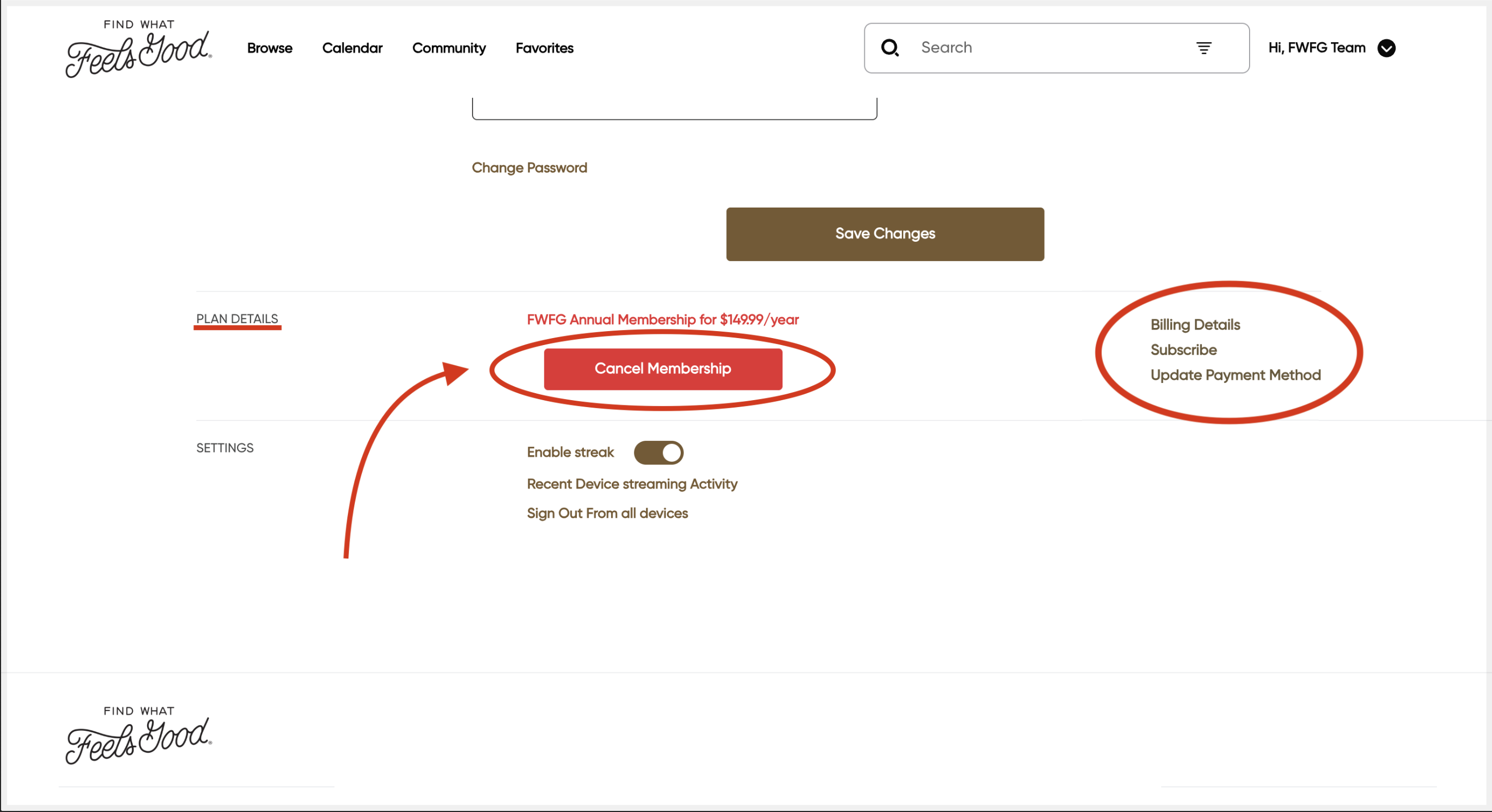
You can even Update Payment Method as well as view your Billing Details.
Mobile (App):
1. Tap the three-bar menu icon (☰) in the top right corner to open the menu.
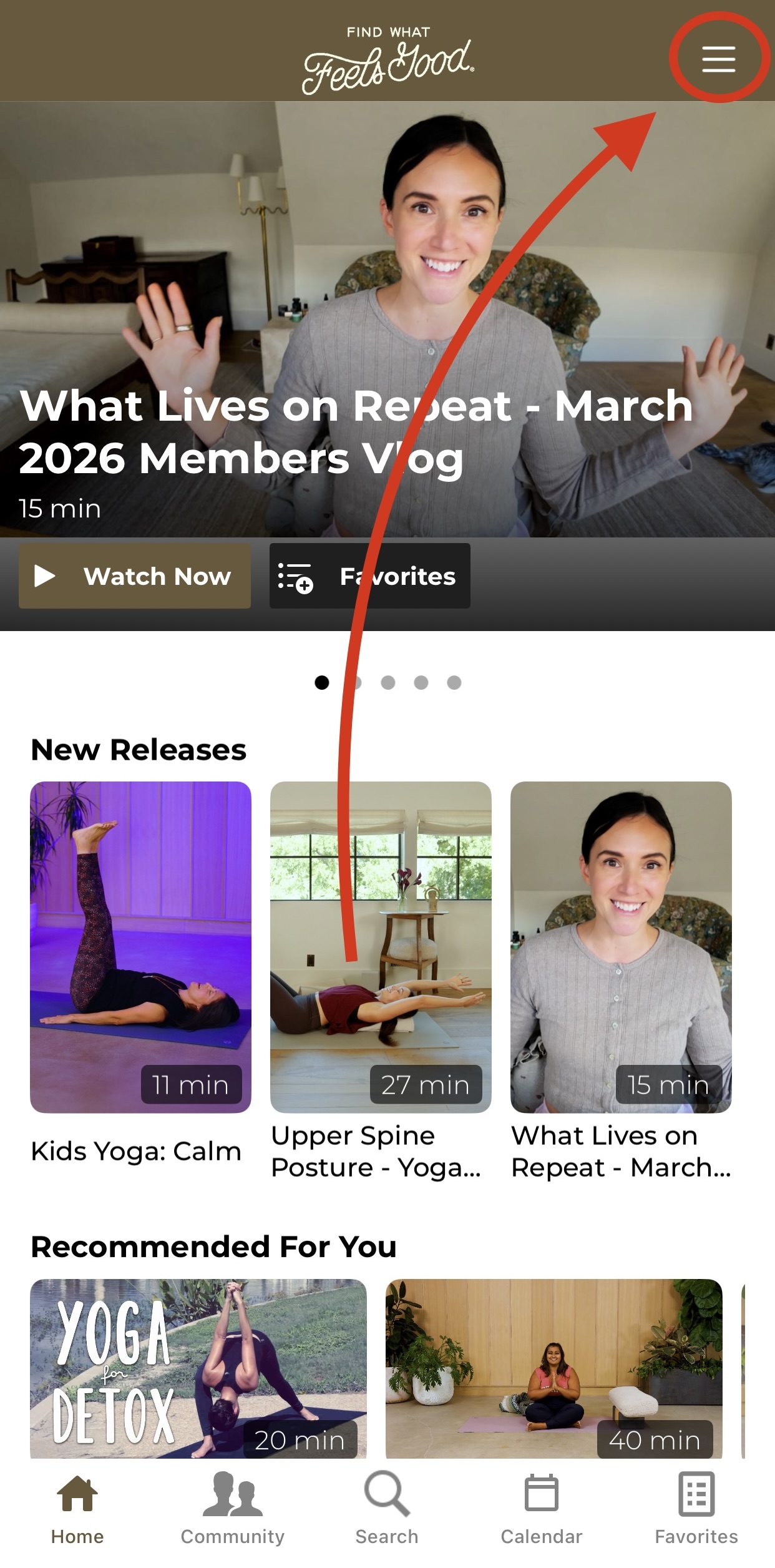
2. Select Account from the list of functions.
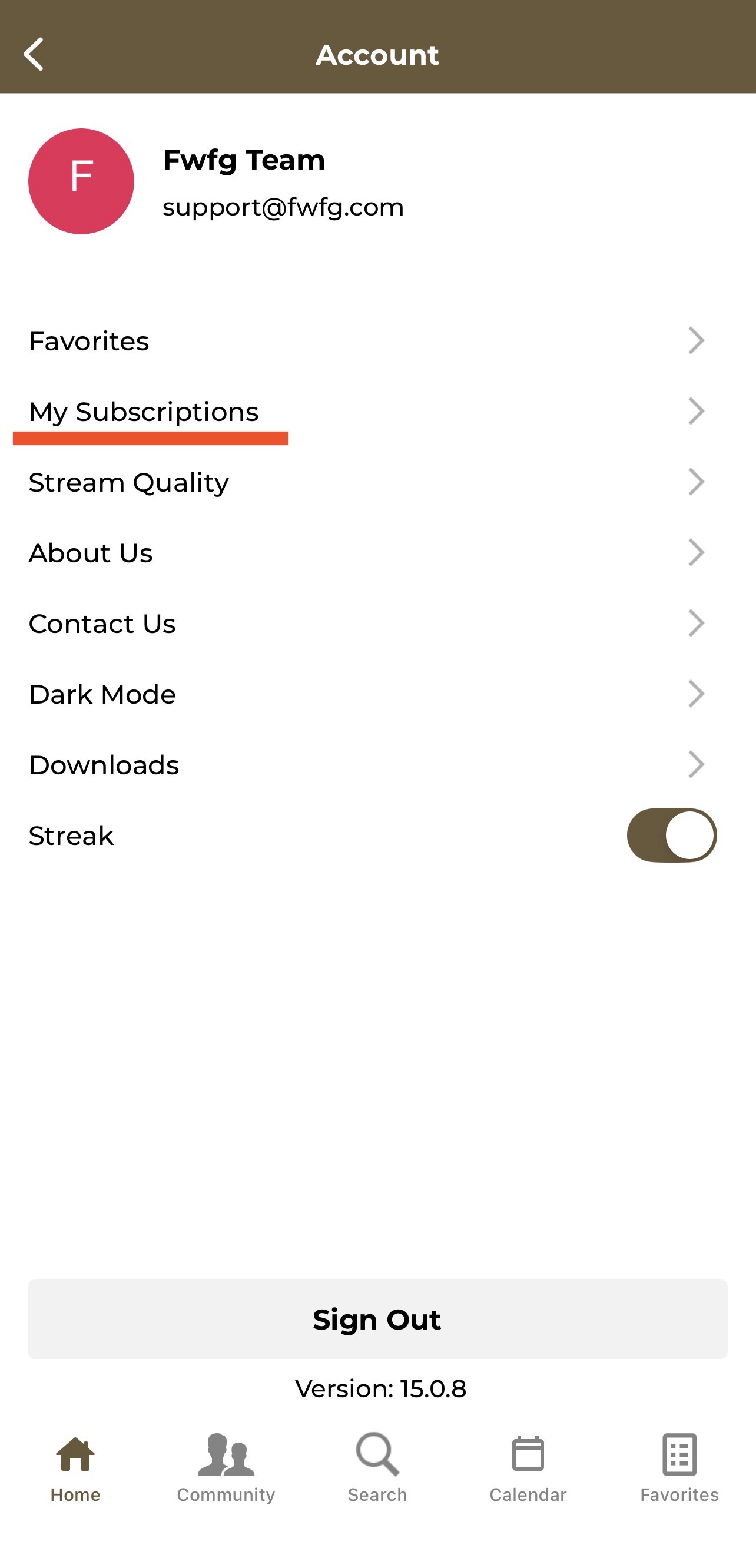
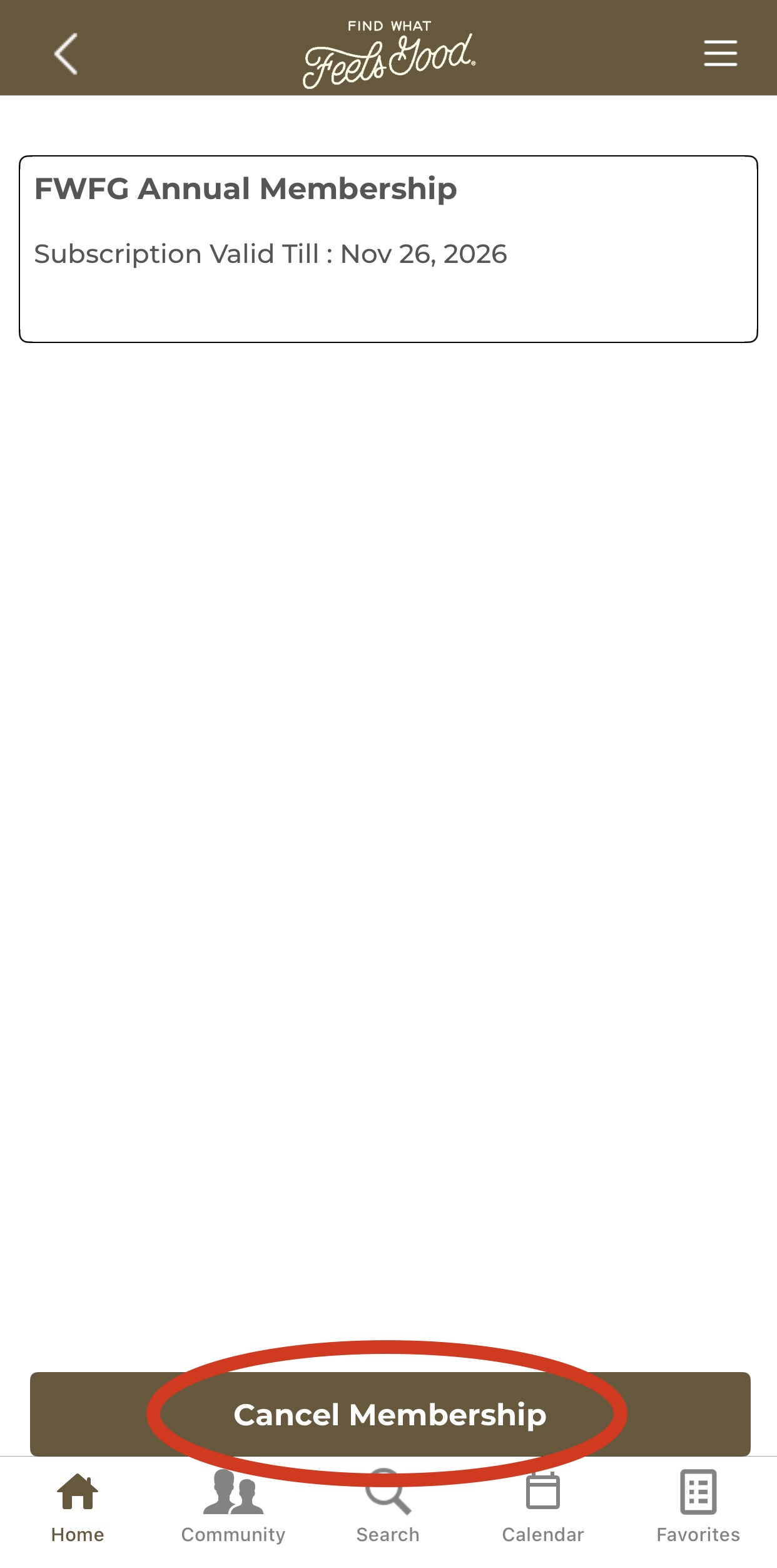
3. Tap My Subscriptions to view and cancel your membership.
How did we do?
Favorites and Playlists
How to Use the In-App Calendar