Favorites and Playlists
Favorites and Playlists. How do I save videos to my favorites/playlists?. You can add videos to your Favorites on both desktop and mobile devices. Desktop (Website):. 1. Hover your mouse over a video…

Favorites and Playlists
How do I save videos to my favorites/playlists?
You can add videos to your Favorites on both desktop and mobile devices.
Desktop (Website):
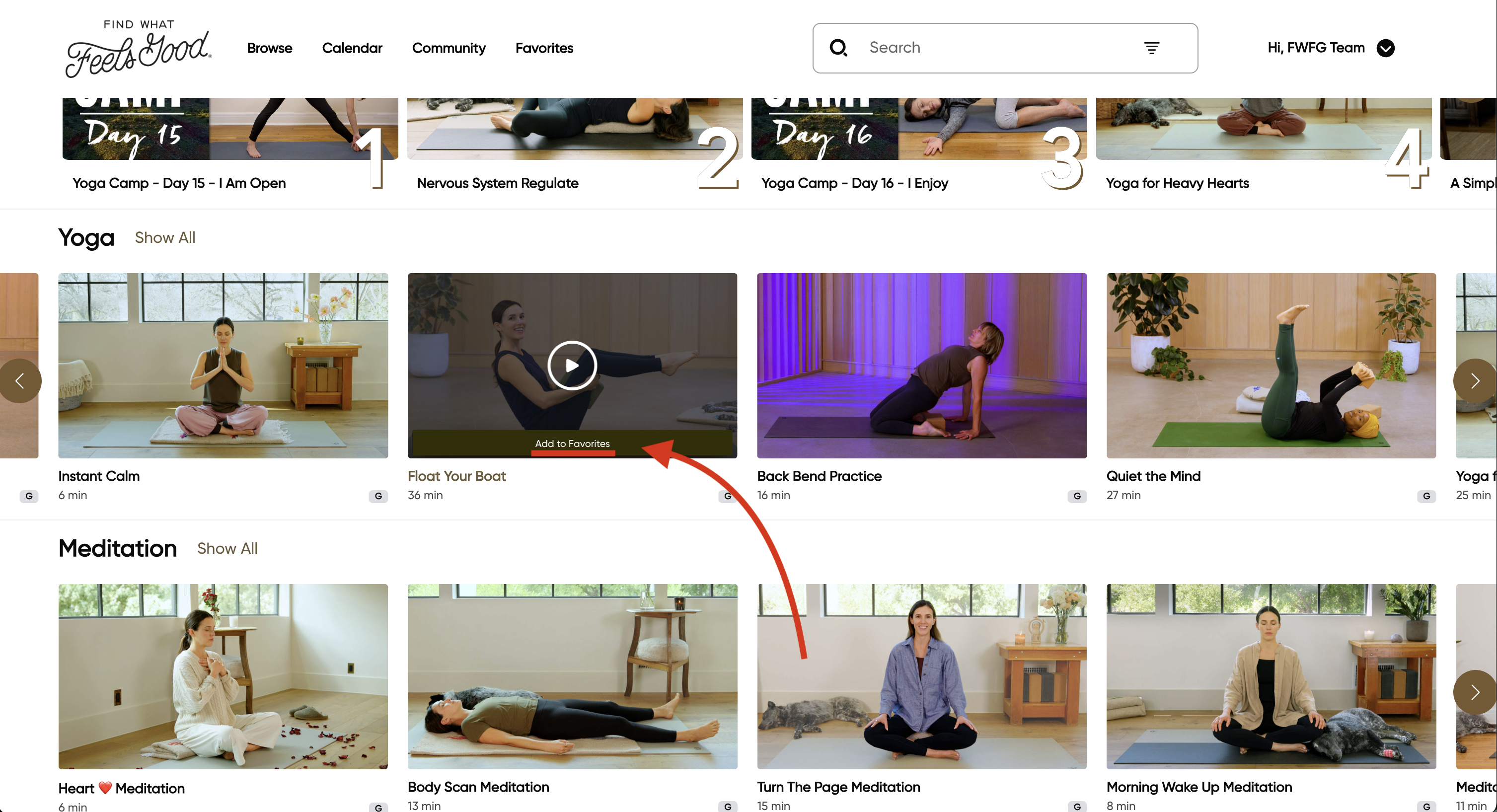
1. Hover your mouse over a video thumbnail on the homepage and select Add to Favorites.
OR
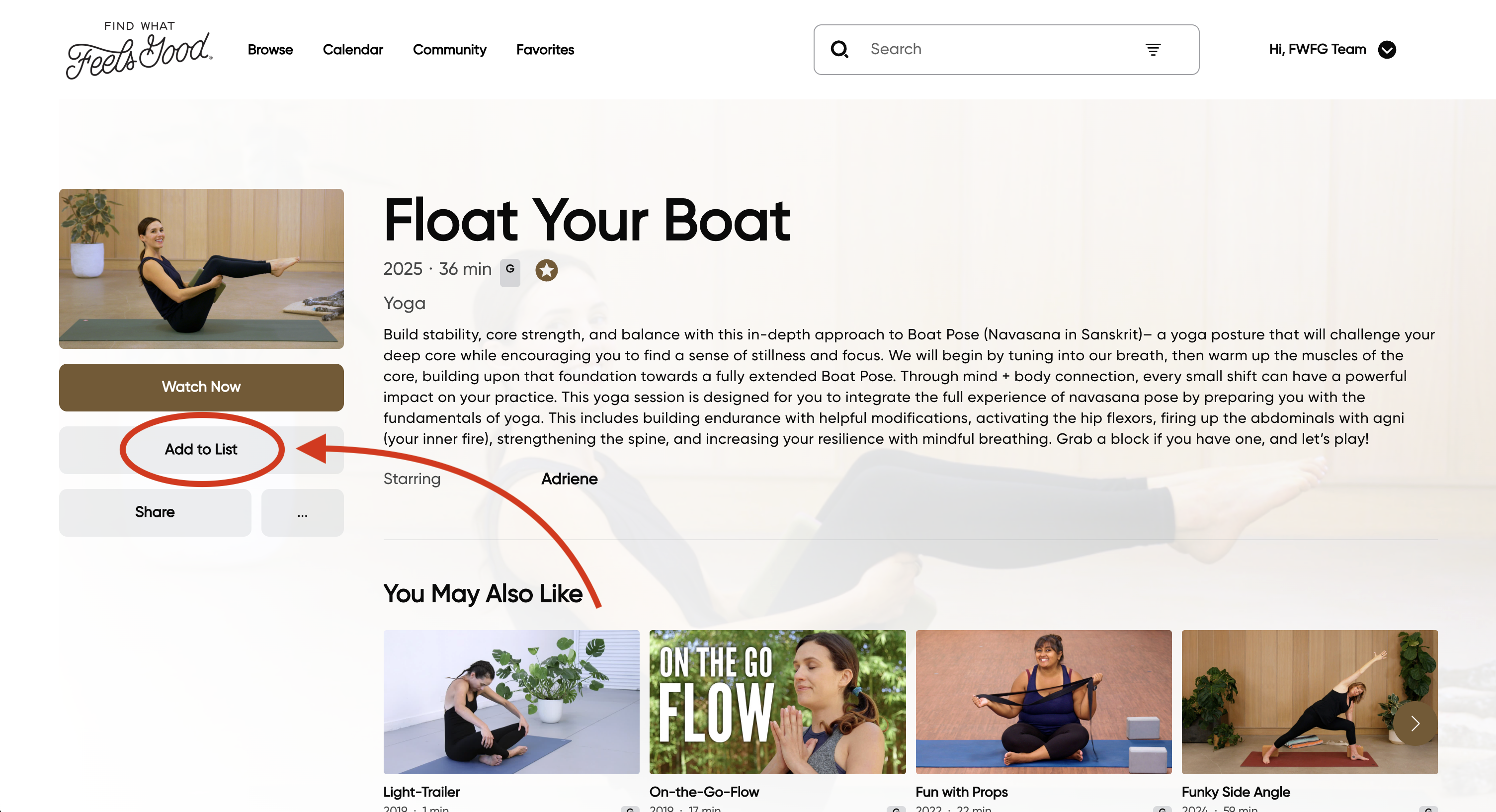
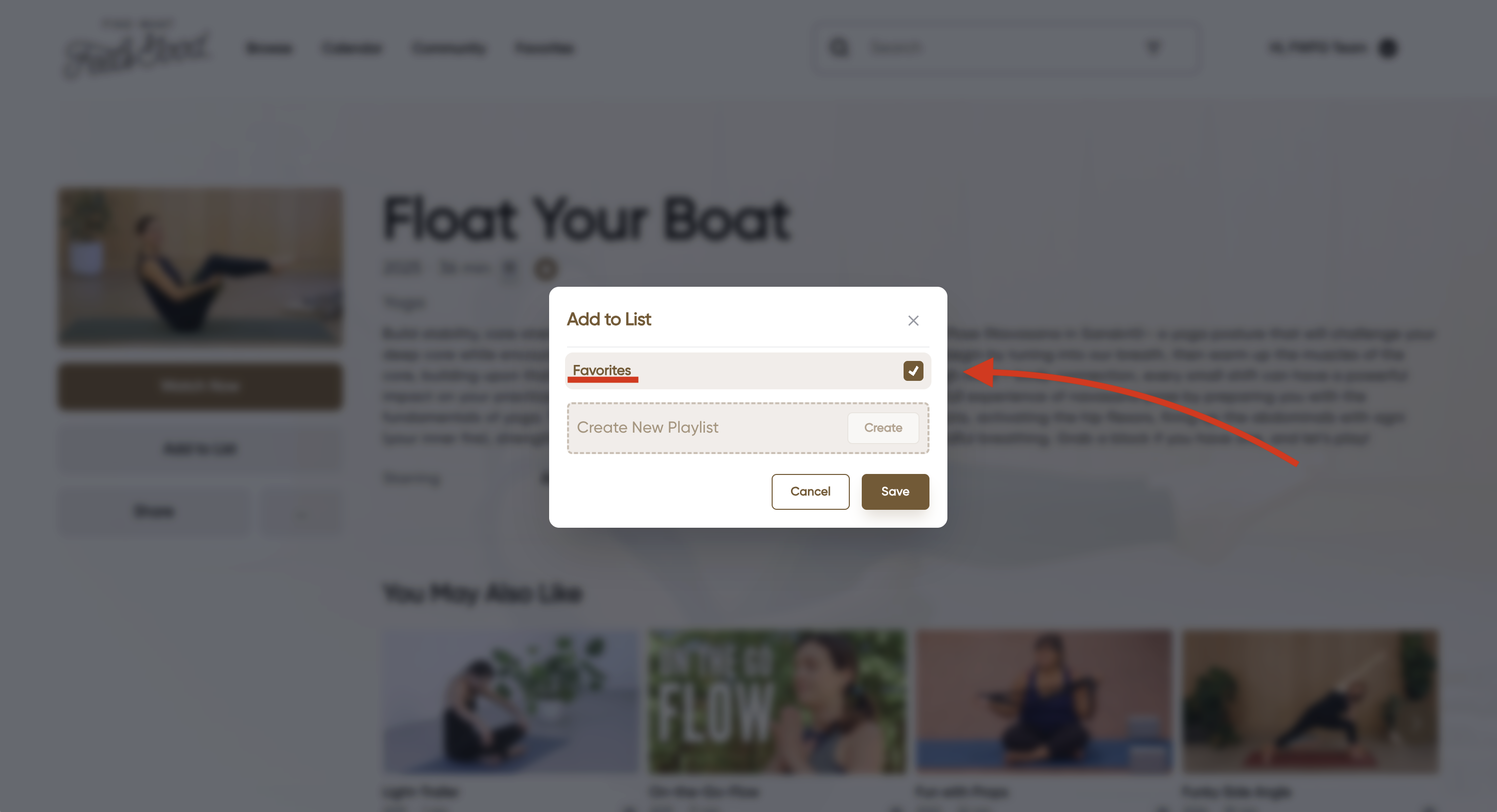
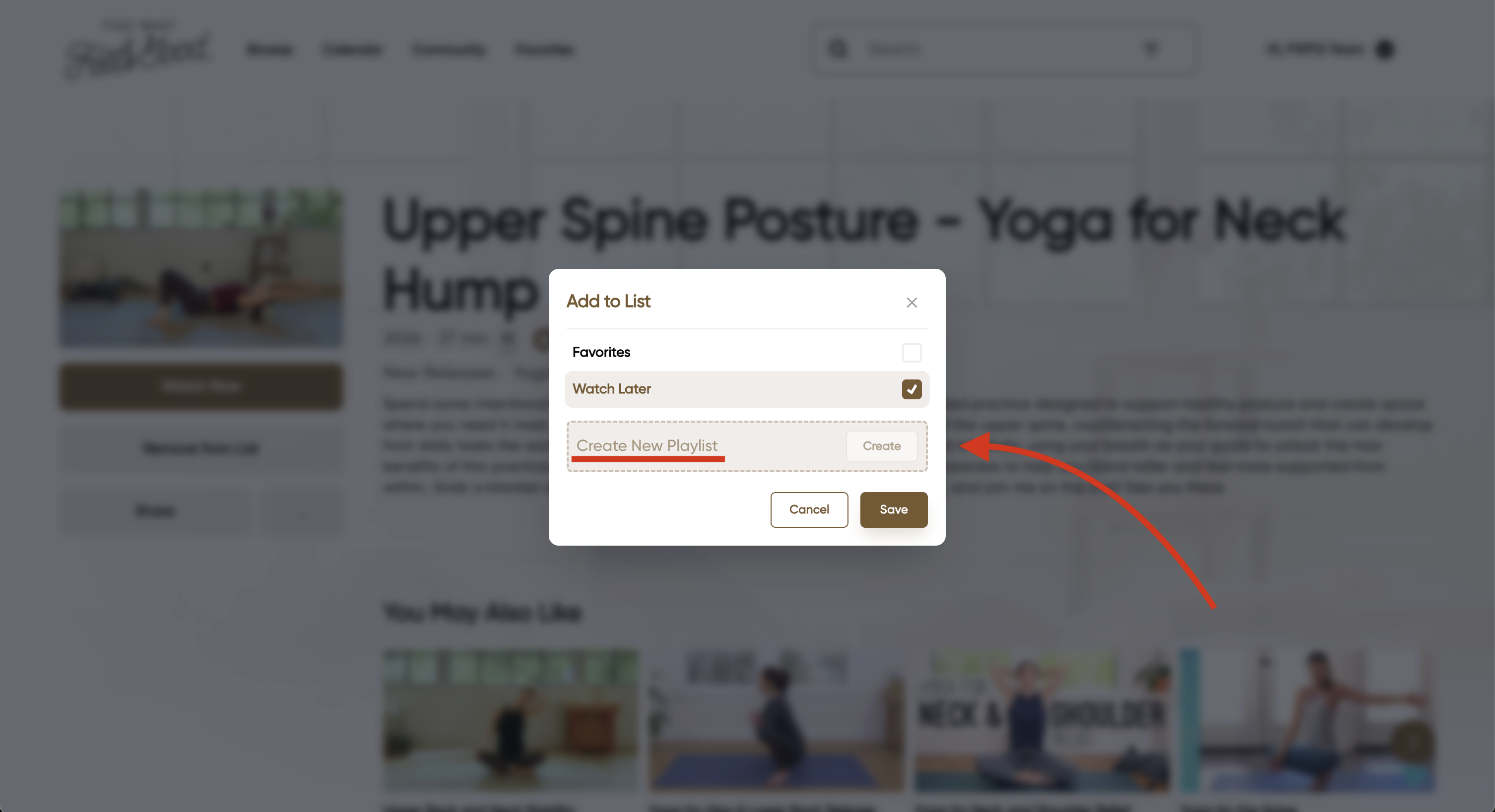
2. On a video page, click Add to List under Watch Now, and choose Favorites.
Mobile (App):
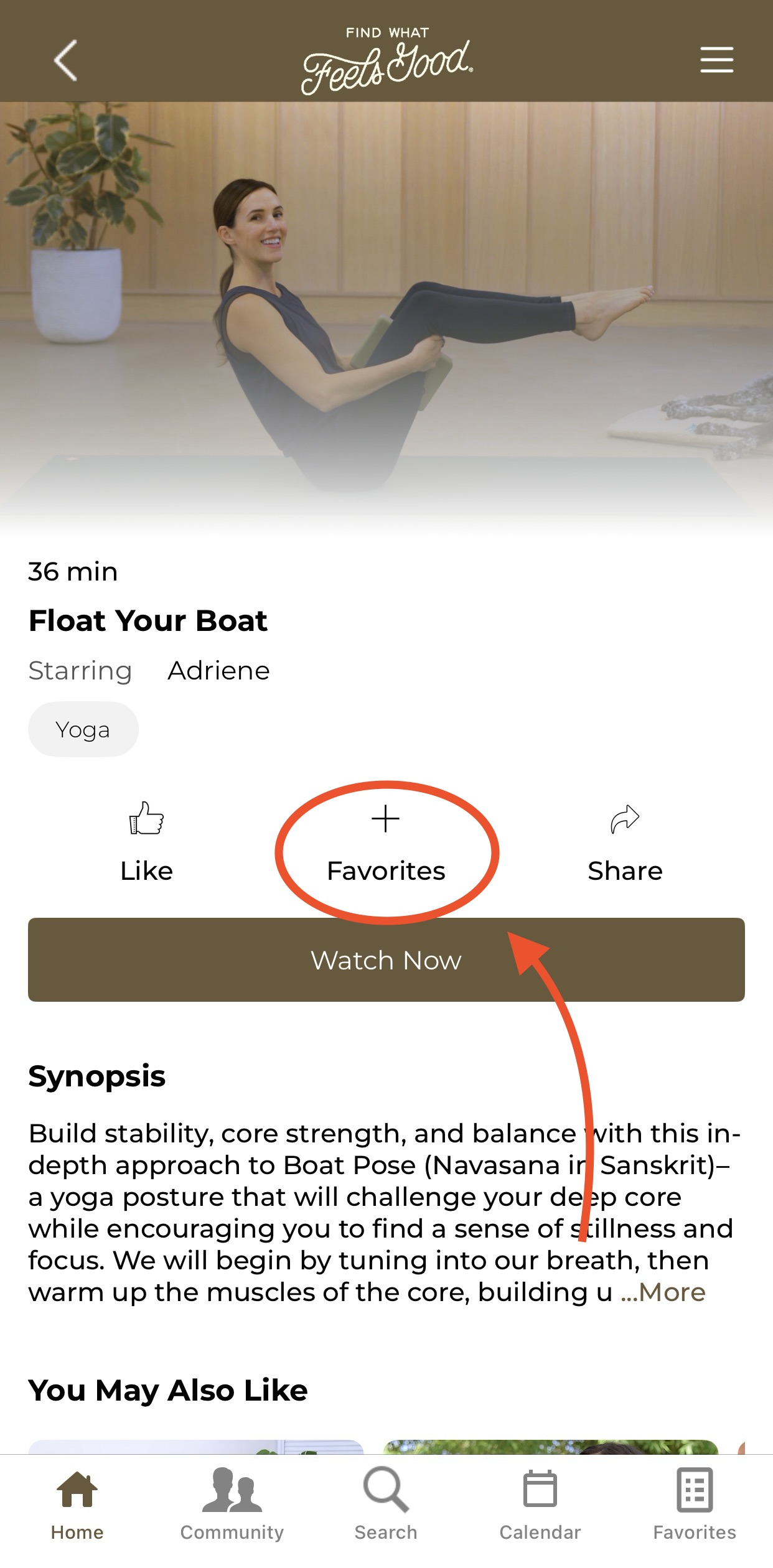
Open the video and select the option to Add to Favorites just above the Watch Now button.
Select the Playlist you wish to add the video to and then make sure to save!
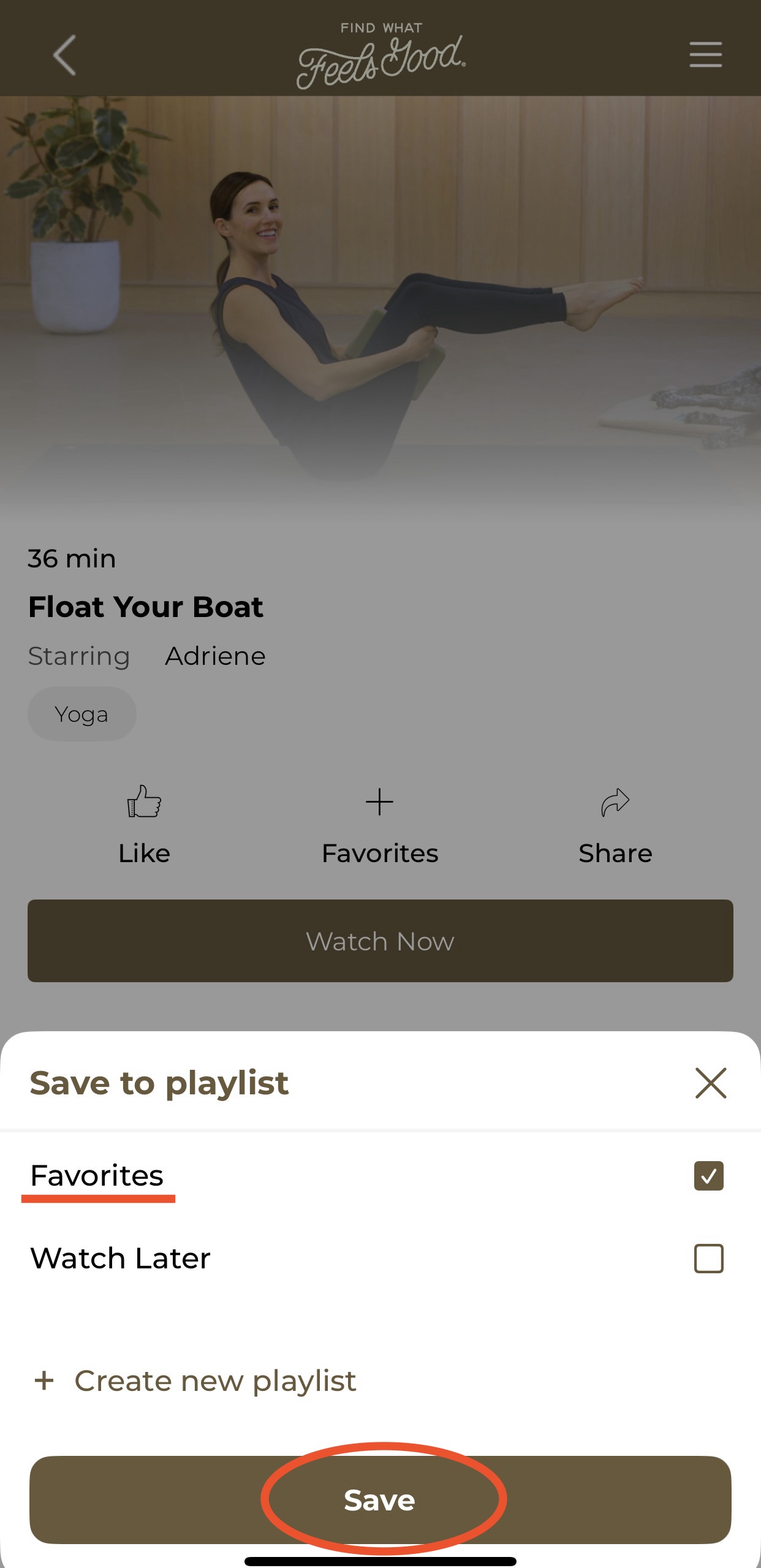
Playlists:
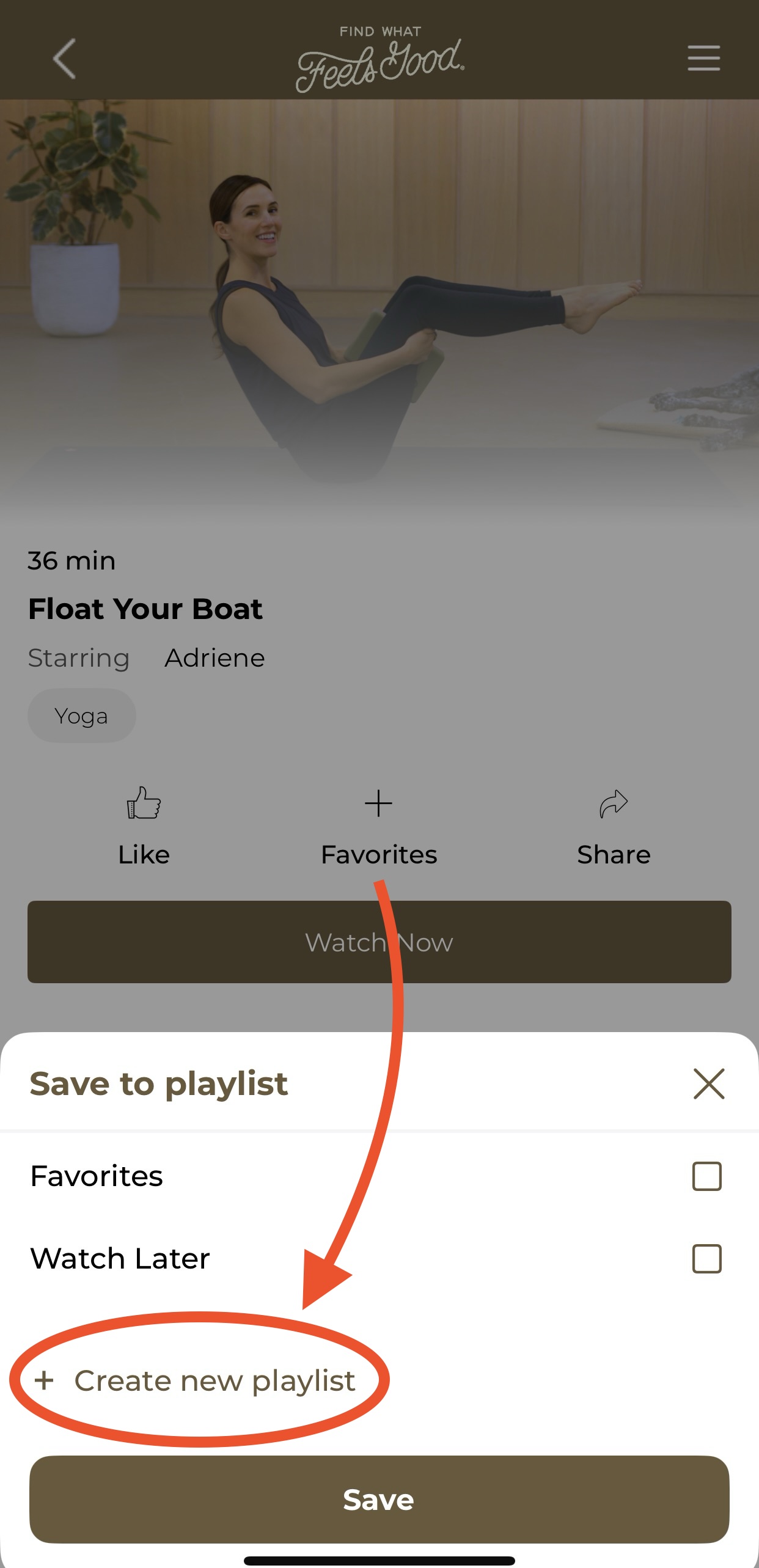
You can also create custom playlists by selecting Add to List and choosing an existing playlist or creating a new one.
Known Issue: It is not currently possible to add videos to Favorites directly from the calendar. We are actively working on improving this functionality.
How do I access and manage my playlists?
Desktop (Website):
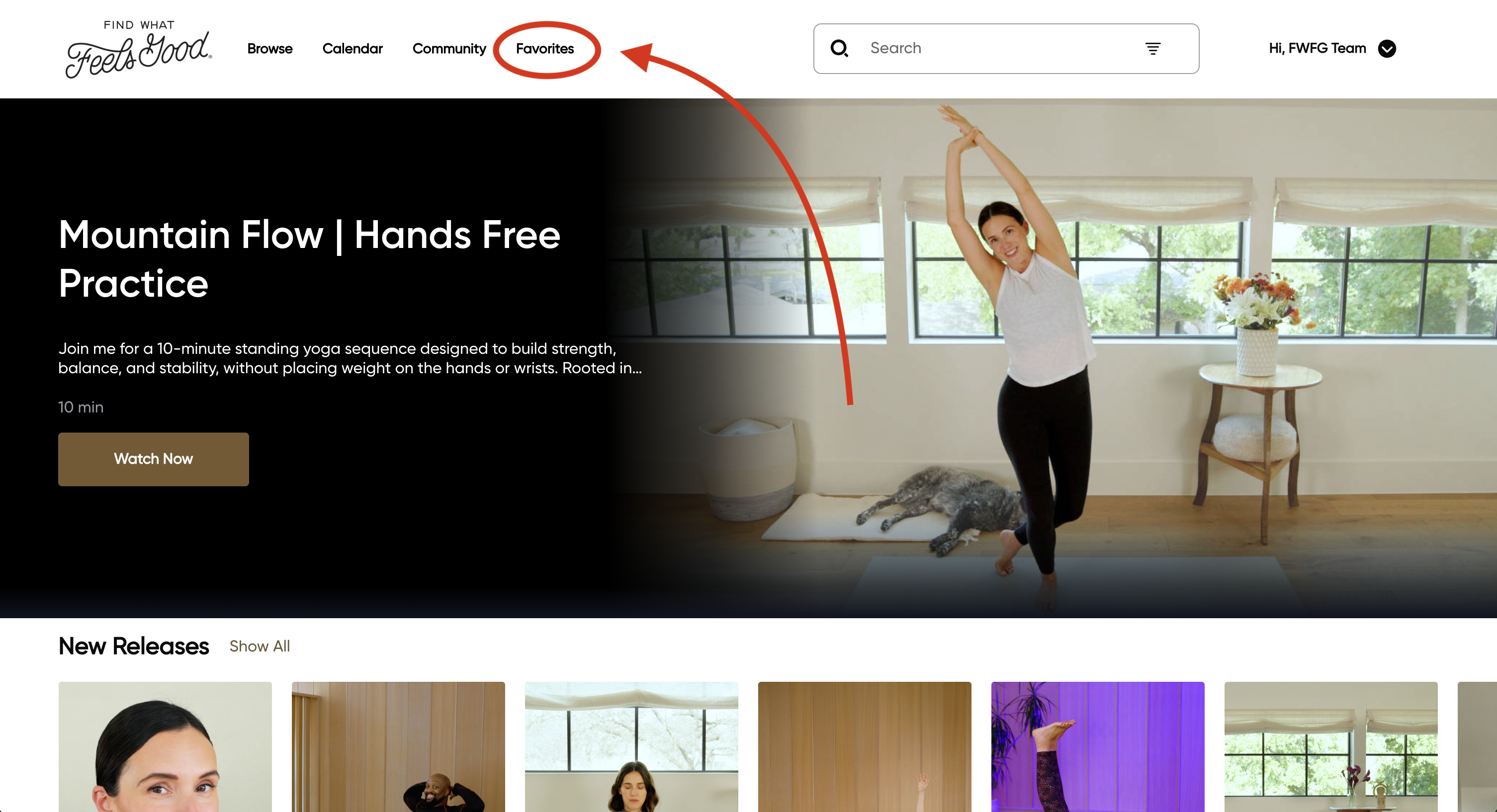
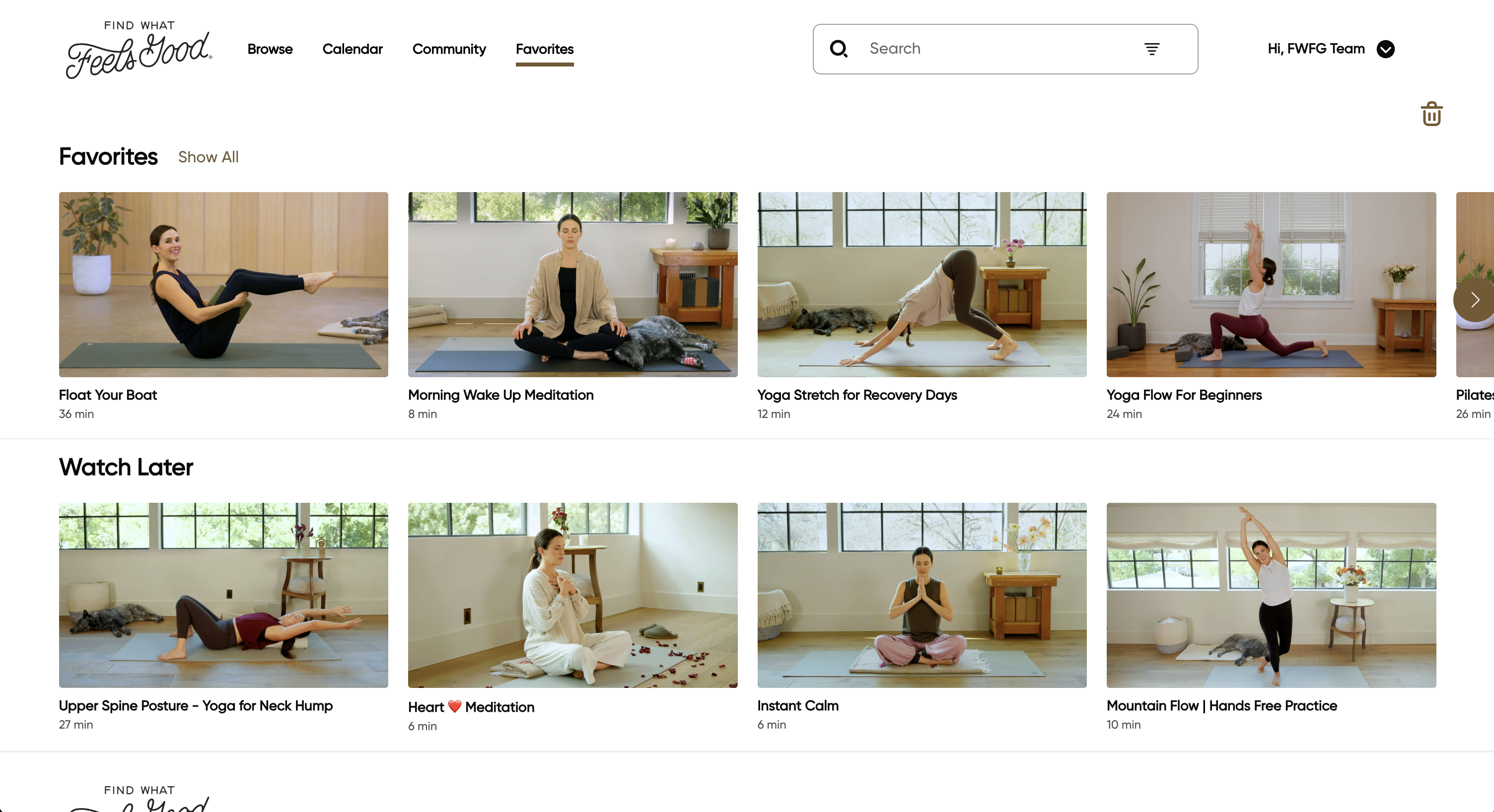
Click the Favorites tab in the top navigation bar to access and view your playlists.
Mobile (App):
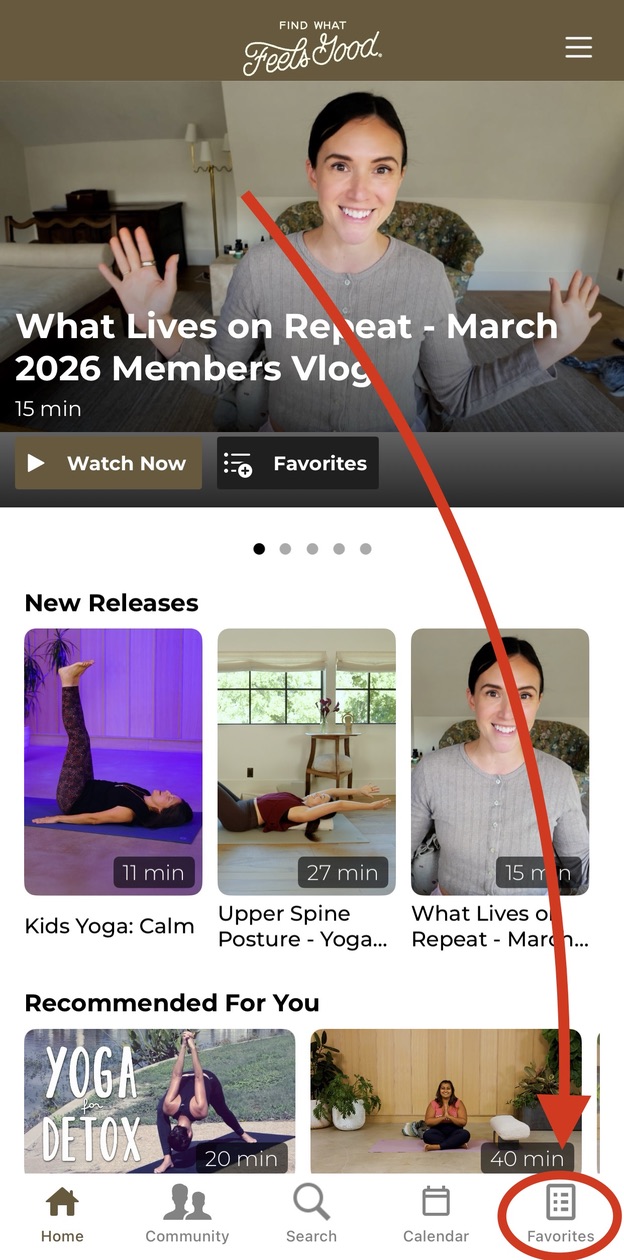
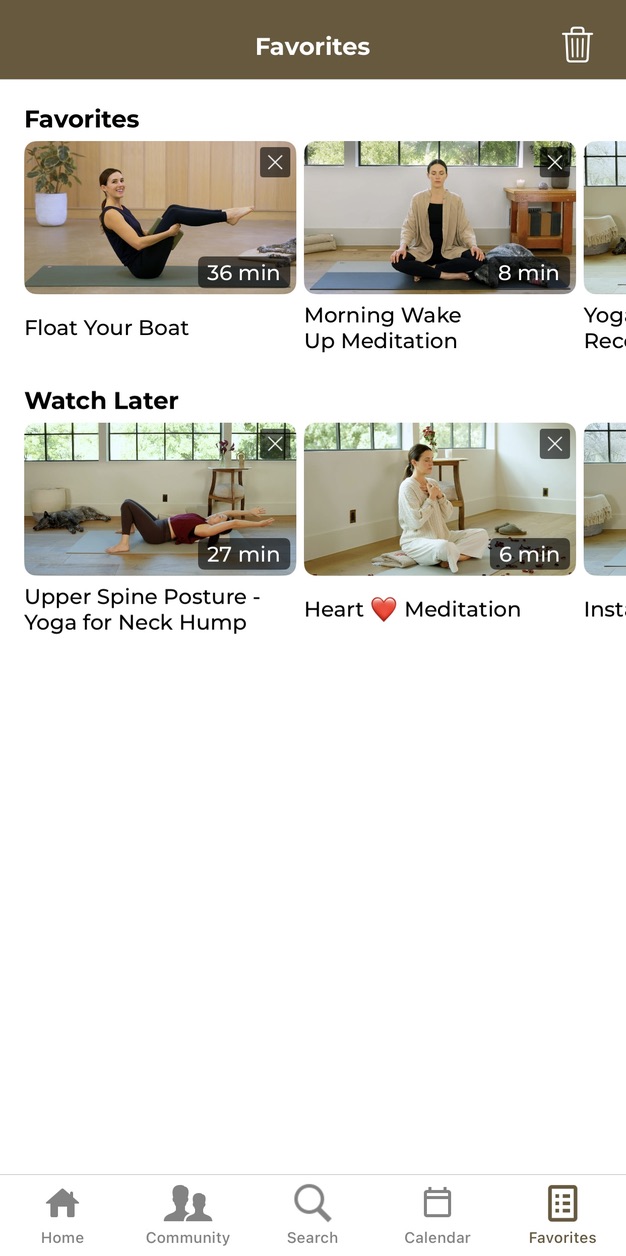
Tap the Favorites tab at the bottom of the screen to access and view your playlists.
How do I remove videos from a playlist?
Desktop (Website):
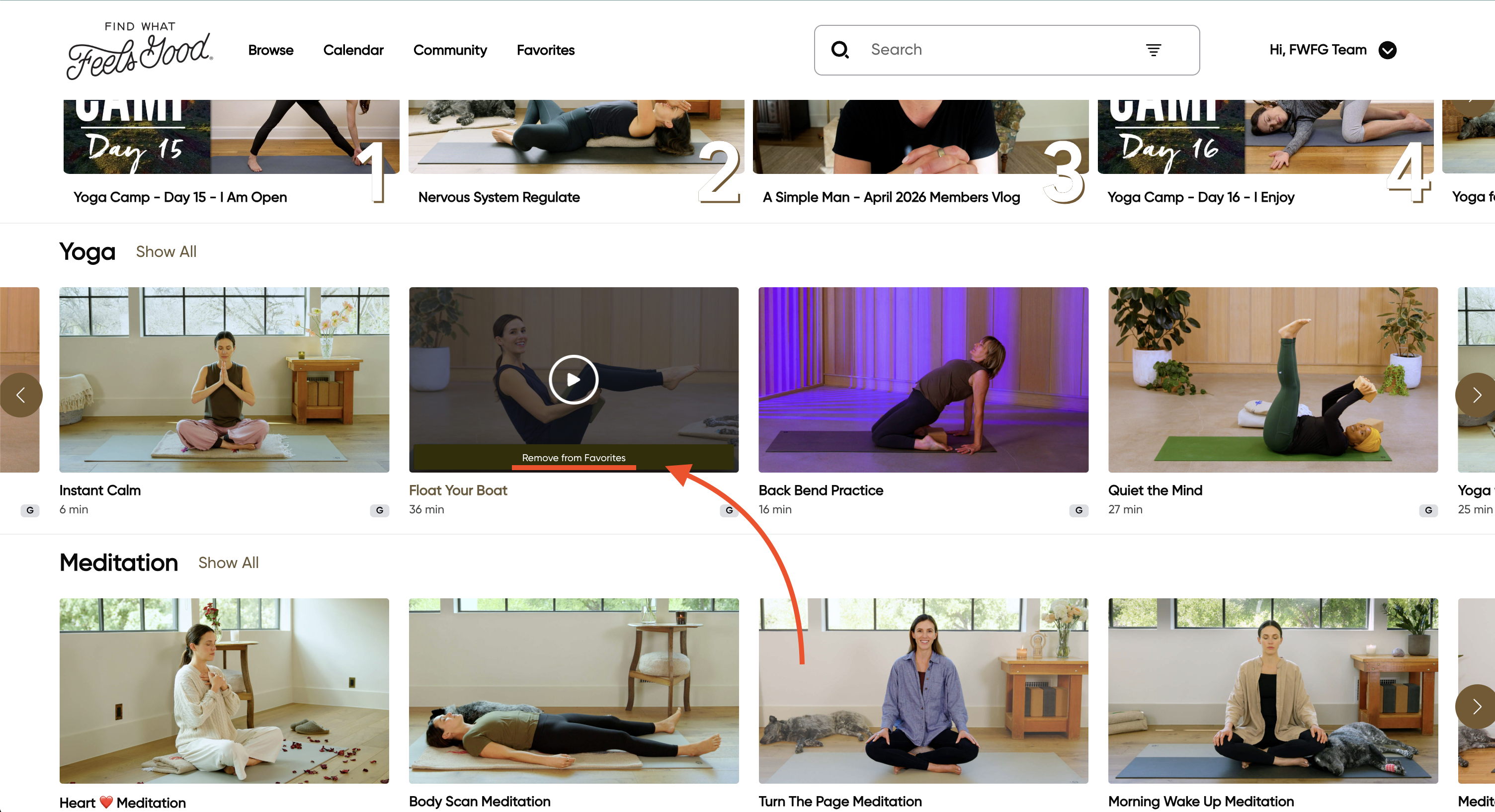
Hover over the video thumbnail and then click Remove at the bottom of the thumbnail.
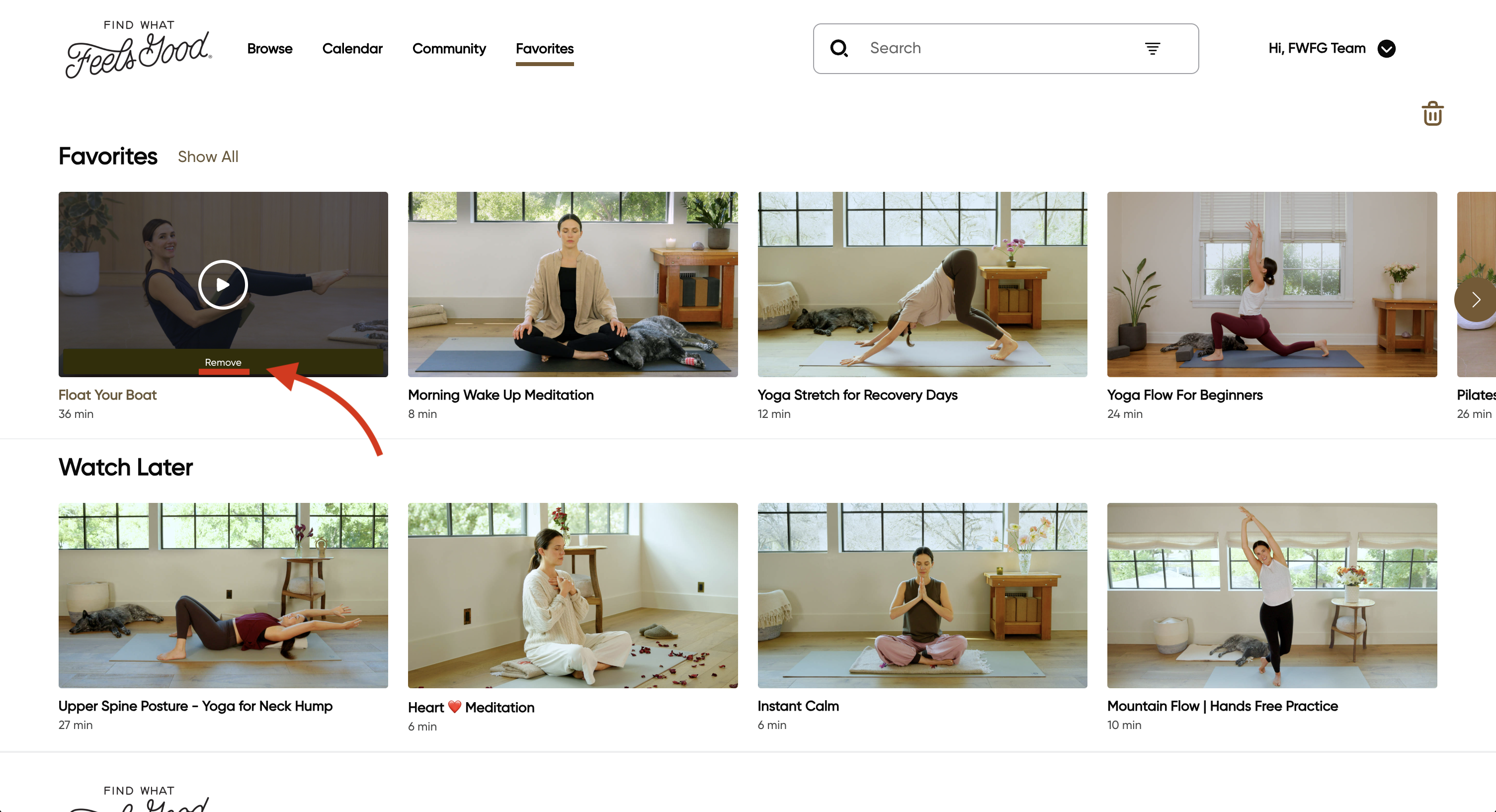
You can also remove videos from Favorites directly on the homepage.
Mobile (App):
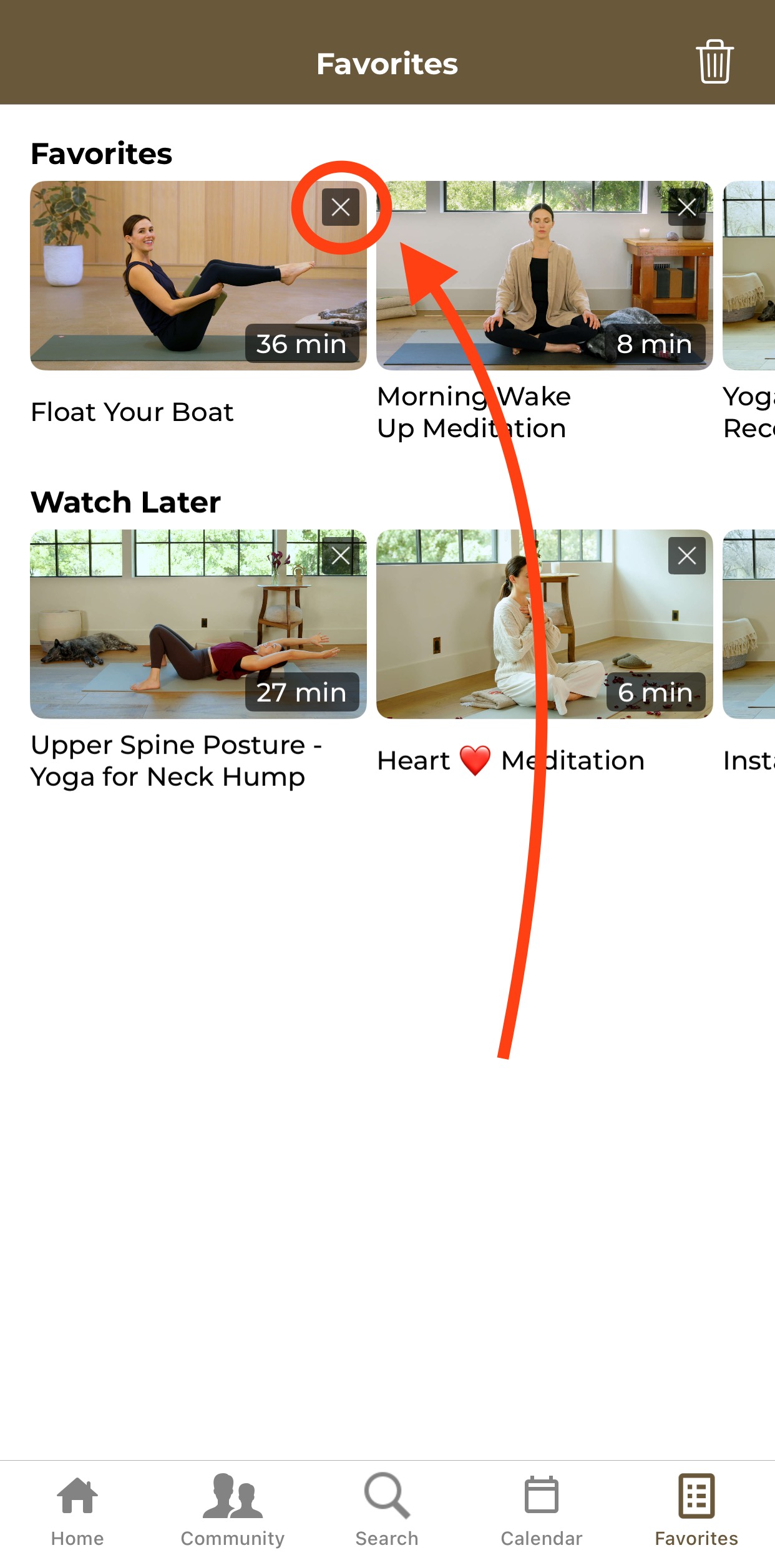
Click the X in the top right corner of the desired video to be removed from the playlist.
How did we do?
Pause or Reactivate a subscription
Cancel Subscription